
Keboola MCP: Log In Once, Work Across Every Project
Connecting an AI assistant to Keboola through the MCP Server now takes a one-time browser login instead of a pasted Storage API token, and a single session can reach every project you have access to on a stack.

Connecting an AI assistant (Claude, Cursor, ChatGPT, and others) to Keboola through the MCP Server no longer means creating and pasting a Storage API token. Authentication is now a one-time browser login, and instead of being locked to a single project at setup, the AI assistant can see and work across every project you have access to on a stack. You pick which project in mid-conversation.
How it works now
- Log in once, in a browser. Remote (hosted) connections already used Keboola OAuth. Now local and CLI setups get the same experience via
keboola_mcp_server logininstead of generating a project tokenKBC_STORAGE_TOKEN. - No project picked at login. The login step only authenticates. Once connected, ask the assistant something like "list my Keboola projects" or "use project X" and it scopes itself via
get_accessible_projects/set_project_scope. - Multi-project by default. A single session can see every project you're a member of on that stack. Read-only questions can span all of them at once; anything that writes stays scoped to the one project you've confirmed.
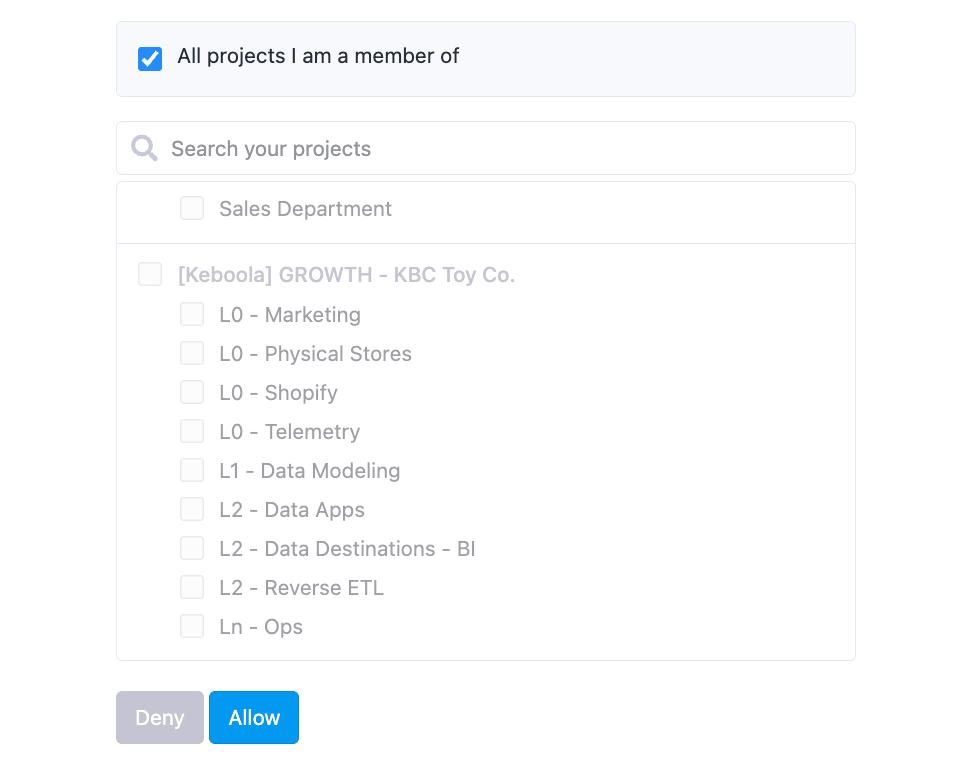
- New OAuth screen. Pick projects and organizations right at login to set your scope up front.

What's not included
This applies to MCP Server connections only. Kai, the in-platform assistant, keeps working as it does today.
Where to look
- MCP Server README - local setup and login/logout CLI docs
- Project Settings → MCP Server tab - updated connection steps per client
Questions? Contact support via a support ticket.