
Workspaces Now Write Directly to Storage Tables
Snowflake and BigQuery workspaces can now write rows straight into Storage - no output-mapping job or staging step required.
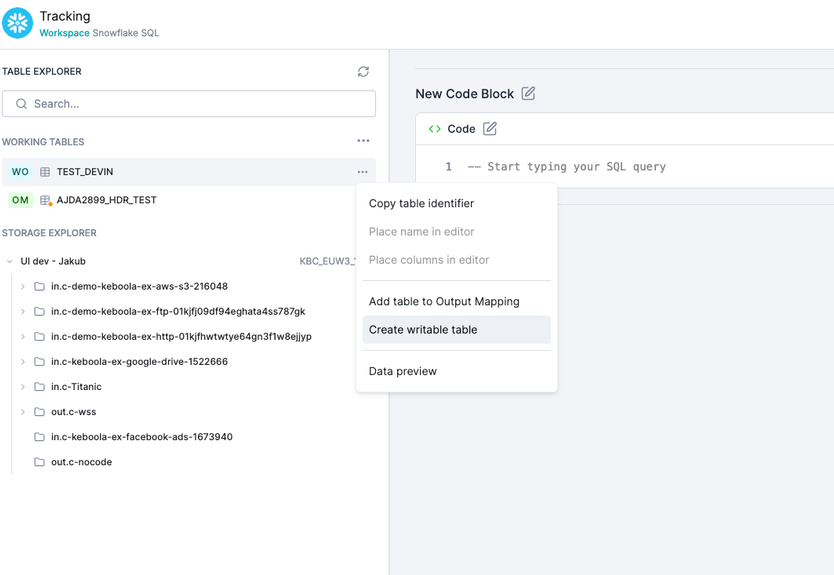
Snowflake and BigQuery workspaces can now be granted direct write access to a Storage table, removing a limitation noted in the Output Mapping redesign post (which said "Workspaces are not supported for the time being").
In the SQL editor, pick Create writable table on any table built in your workspace. Keboola sets up a matching (empty) Storage table and grants access in one step — from then on, rows written from SQL land directly in Storage with no unload step and no output-mapping job.
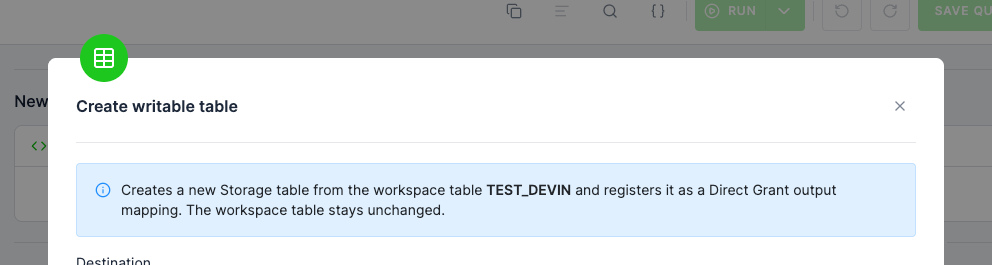
What's new:
• One-click setup: One action in the SQL editor sets up the Storage table and grants workspace access automatically.
• Direct SQL writes to Storage: No staging copy, no import step — rows go straight through.
• Writable tables sidebar section: The SQL editor sidebar now shows writable tables in their own section, so it's always clear what's feeding Storage.
• Works with existing tables: You can also point Direct Mode in a workspace's output mapping at an existing Storage table without creating a new one.
Questions? Contact support via a support ticket.