
The New Keboola Navigation - Rolling Out July 1
We've redesigned Keboola's navigation from a top bar to a left sidebar, giving you more horizontal space, a cleaner layout, and faster access to everything you need.
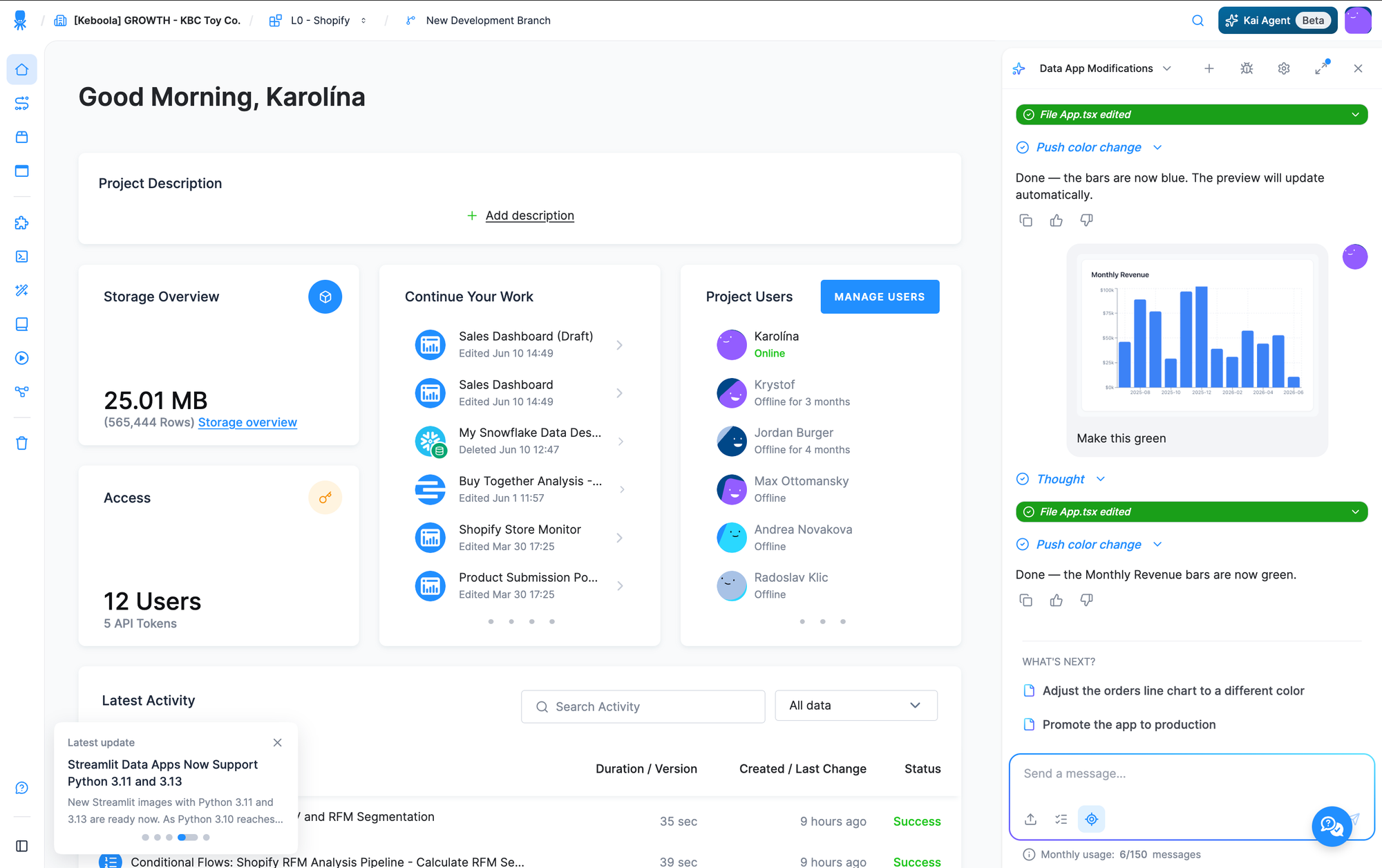
What's new:
- Left sidebar layout — navigation is now organized vertically on the left instead of stretching across the top. All main sections (Storage, Flows, Apps, Components, Transformations, Data Catalog, Jobs, and more) are in one easy-to-scan list.
- Three display modes — choose how the sidebar behaves: always expanded, collapsed to icons, or expand on hover.
- Support & Help at the bottom — quick access to help is always in reach, along with new Changelog Cards that surface what's new at a glance.
- Keyboard shortcut — toggle the sidebar open or closed without reaching for the mouse.
Need time to adjust?
The old menu is still available until the end of August 2026. To switch back:
- Click your profile (top right)
- Go to User Features
- Toggle off Sidebar
After August 2026, the new navigation becomes the default for everyone.
We want your feedback
Pay-as-you-go users have been testing this since February! If you have ideas how to improve your experience, send us your feedback through the support ticket in the left sidebar.