
Snowflake DWHM: Reset password and MFA
Admins of the Snowflake Data Warehouse Manager (DWHM) component can now reset a user's Snowflake password and MFA enrollment directly from the user detail page in the Keboola UI.
What's new
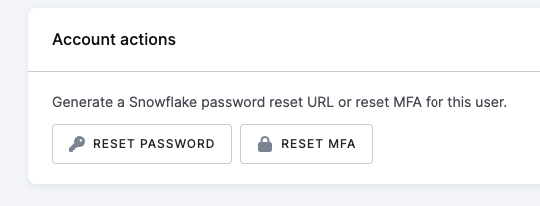
A new Account actions card on each person user shows two buttons:
- Reset password — invalidates the user's current Snowflake password and returns a one-time password-reset URL. The URL is shown once, is valid for 4 hours, and should be shared with the user through a secure channel. Hidden for users configured with Skip password (key-pair-only authentication). Previous checkbox "Reset password" has been hidden.
- Reset MFA — clears the user's MFA enrollment. The user will be required to enroll a new authenticator on their next login.
Both actions ask for confirmation before they run, so accidental clicks won't lock anyone out.
Why it matters
Until now, recovering a Snowflake user — whether after a lost password, a lost MFA device, or onboarding a new person — required coordination outside the Keboola UI. The new actions put password and MFA recovery in the hands of the people who already manage the DWHM configuration, shortening the loop from minutes (or hours) to a single click.
Where to find it
In any project with the Snowflake DWHM component, open a user row from the configuration. The Account actions card appears below the user form.