
Smarter Flows — Dynamic Values and a Visual Picker
Variables and conditions in Flows are now fully dynamic, and a new visual picker lets you build them by clicking through phases, tasks, and functions — drilling into prior task outputs and aggregating imported row counts in a single click, no JSON required.
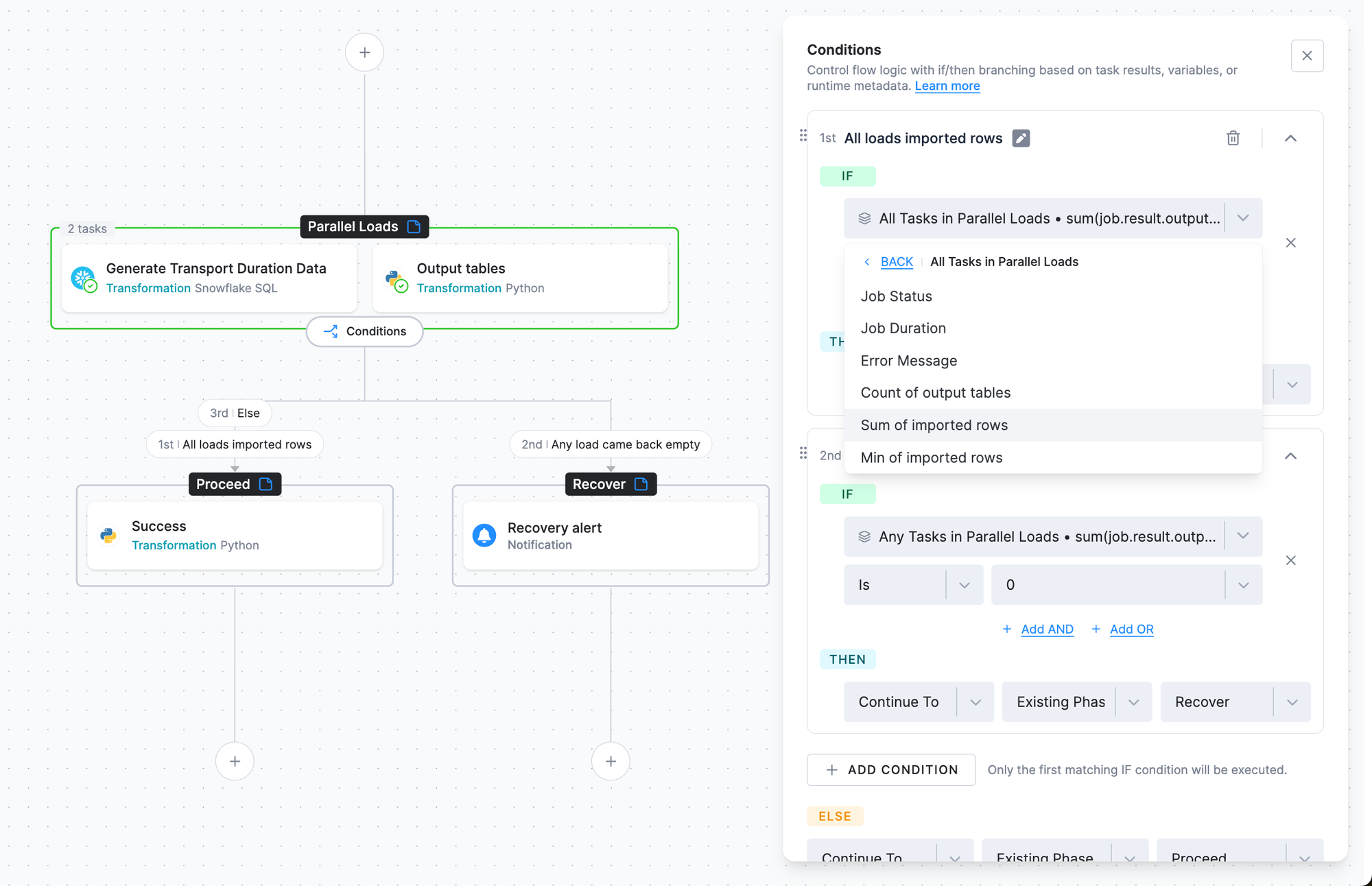
Variables and conditions in Conditional Flows let you store, reuse, and act on values across an entire flow. This update makes them both more powerful and far easier to build: variables can be computed dynamically at runtime, conditions can evaluate results across tables and across a whole phase, and a new structured picker removes the need to author JSON by hand.
What's new:
- Dynamic variables — Compute a value at runtime from an earlier task's result or a built-in function. For example,
COUNTthe output tables a task produced. - Date & time — Format the current date or time with the
DATEfunction using standard PHP format strings — handy for running a branch only on, say, Sundays. - Visual picker — Build variable and condition values through a guided interface instead of editing JSON. Browse to the task, field, function, or constant you need, then drill into an upstream run's output to grab the exact value.
- Aggregations in the picker — Sum, average, or take the min/max of a numeric field across all of a task's output tables — for example, the total rows it imported — in a couple of clicks.
- Phase-wide checks — Evaluate a condition across all tasks, or any task, in a phase. For example, "every task imported rows" or "any task came back empty."
Example use cases:
- Skip empty loads: Continue only when an extractor actually imported rows — check the selected table's
importedRowsCountis greater than0, and branch to a notification when it isn't. - Gate on total volume: Use
Sumover a task's imported row counts to continue only when the task loaded more than a set number of rows across all its tables. - Run on the right day: Use the
DATEfunction to run a branch only on specific days — for example, weekly processing that fires only on Sunday. - Gate on a whole phase: Continue only if every task in the phase imported rows, or branch to recovery if any task produced an empty output table.
- Handle failures gracefully: Branch on a task's status — on
error, send an alert and run a fallback path or end the flow. - Override variables per task: Set a component's variables directly from the flow, so you can run the same transformation with different inputs without duplicating the configuration.
The picker is available in all Flows that use dynamic variables or conditional branching. For full details and examples, see the Conditional Flows documentation. We look forward to your feedback as you explore these improvements!