
Platform
kai
Report Issues in Kai - Debug Context, One Click Away
Kai now gives you three ways to instantly capture and share debug context when something isn't working — copy it to your clipboard or open a pre-filled support ticket without hunting for IDs or stack details.
Reporting a problem with Kai used to mean digging up chat IDs, stack names, and project details by hand. We've simplified that. Kai can now gather and package all the relevant debug context for you in one action — ready to paste into Slack or submit straight to support.
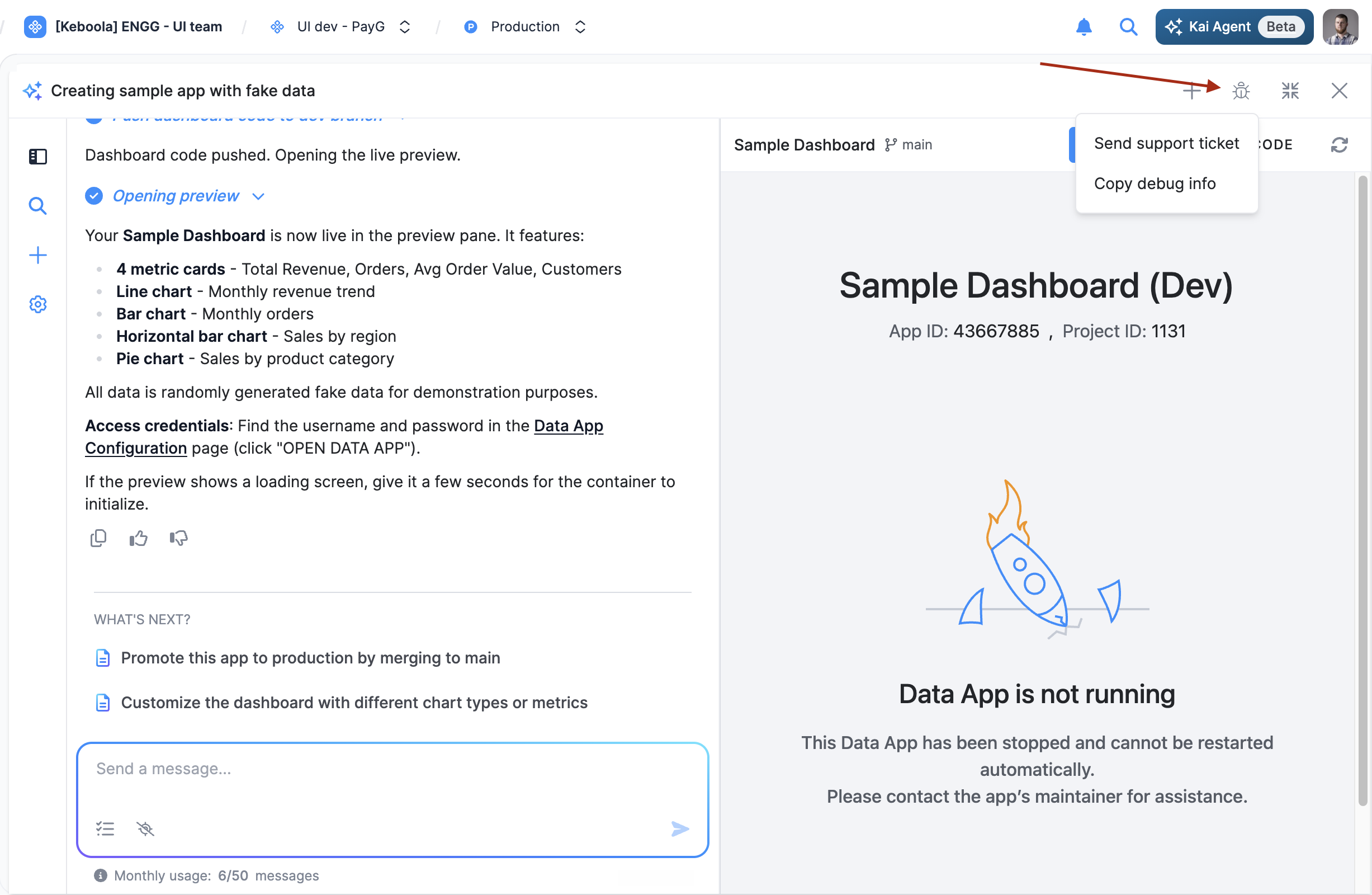
Two ways to share debug info:
- Copy debug info — copies the chat ID, project, stack, LangSmith trace link, and other context to your clipboard so you can paste it wherever you're reporting the issue.
- Send support ticket — opens the Jira support form with all debug context pre-filled, so you can describe the problem and submit without manually filling in the technical details.
Three ways to trigger it:
- Report button — the flag icon in the Kai chat header is always there when you need it.
- /feedback slash command — type
/feedbackdirectly in the Kai chat input to trigger the same flow. - Ask Kai directly — say something like "I want to report a bug" and Kai will gather and copy the debug info for you automatically.
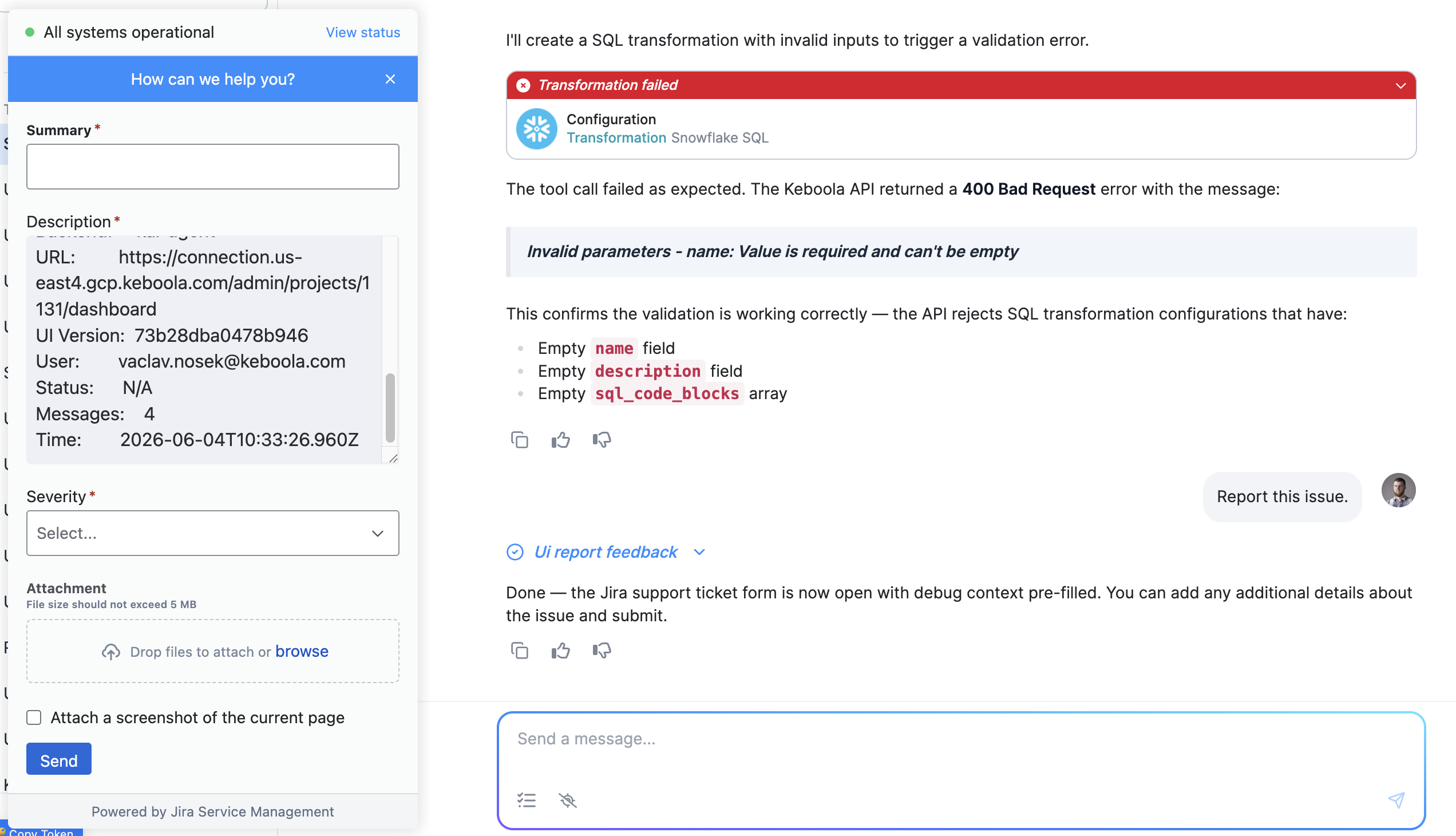
If you run into something unexpected with Kai, you no longer need to go hunting for context — just hit the flag, type /feedback, or ask. We want to hear about issues, and now it takes seconds to share what we need to investigate them.