
Platform
UI/UX
Preview Files Directly in Storage - No Download Needed
You can now instantly preview the contents of files in Keboola File Storage. Click any file row to see markdown, CSV tables, code, and images right in the browser without downloading.
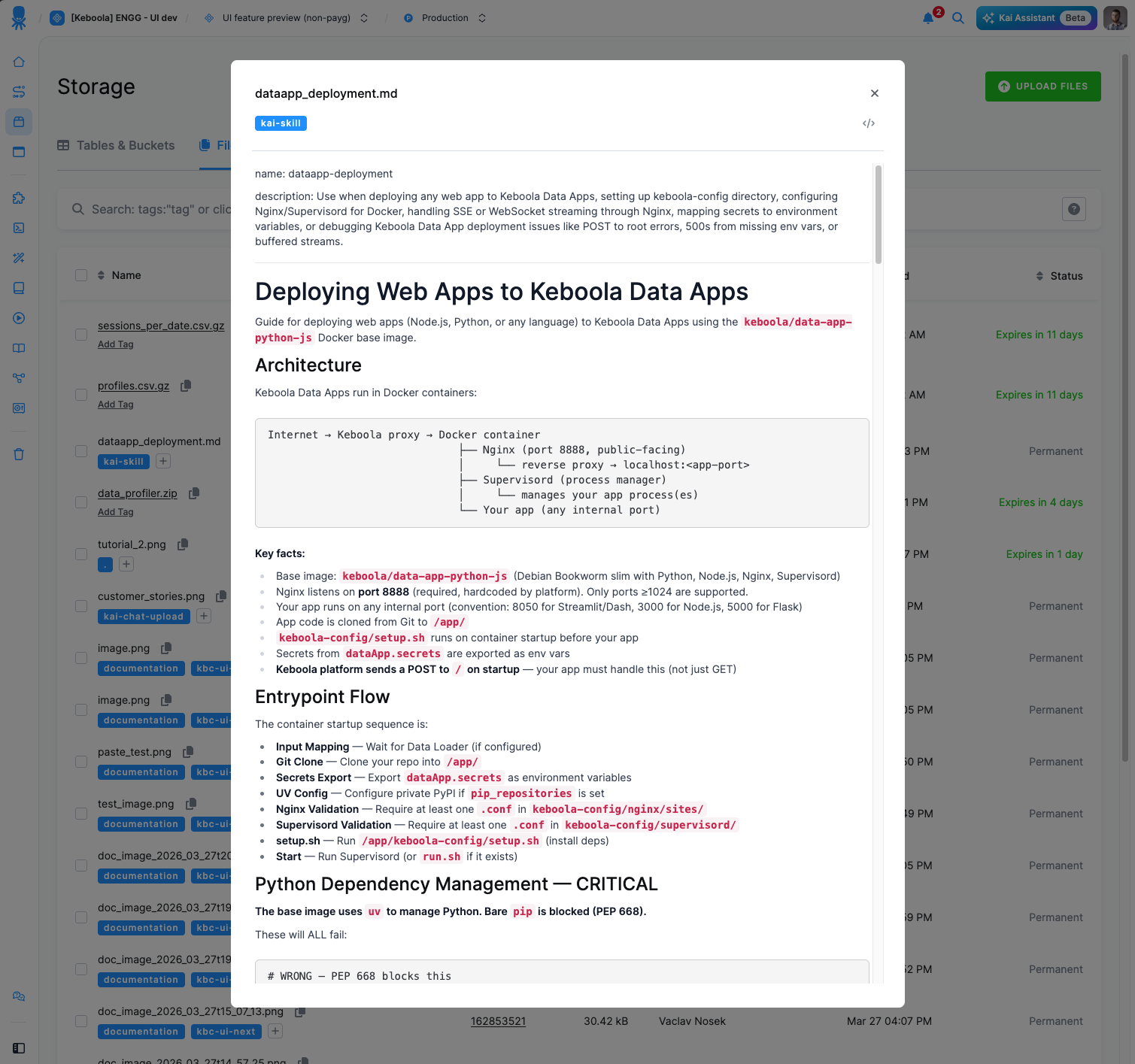
The recent update to File Storage introduces in-line file preview: a straightforward quality-of-life improvement that removes the need to download a file just to check its contents.
Previously, inspecting any file meant downloading it first, opening it locally, and then returning to Keboola. Now, a single click on any file row opens an instant content preview directly in the UI.
What's new:
- Click any file row in File Storage to instantly preview its content.
- Supported formats include markdown (rendered), CSV (displayed as a table), code files (with syntax highlighting), and images (shown inline).
- No download required — inspect file contents without ever leaving the Keboola interface.
What to keep in mind:
- Not all file types support preview. Compressed archives (e.g.
.zip,.gz) and sliced files will continue to use the standard download flow.
We hope this makes day-to-day work with files in Storage faster and more convenient. If you have feedback or run into any issues, please don't hesitate to submit a support ticket.