
Power BI Refresh Application Now Generally Available
The Power BI Refresh application has been promoted from beta to General Availability, eliminating manual dataset refresh steps from your data workflows.
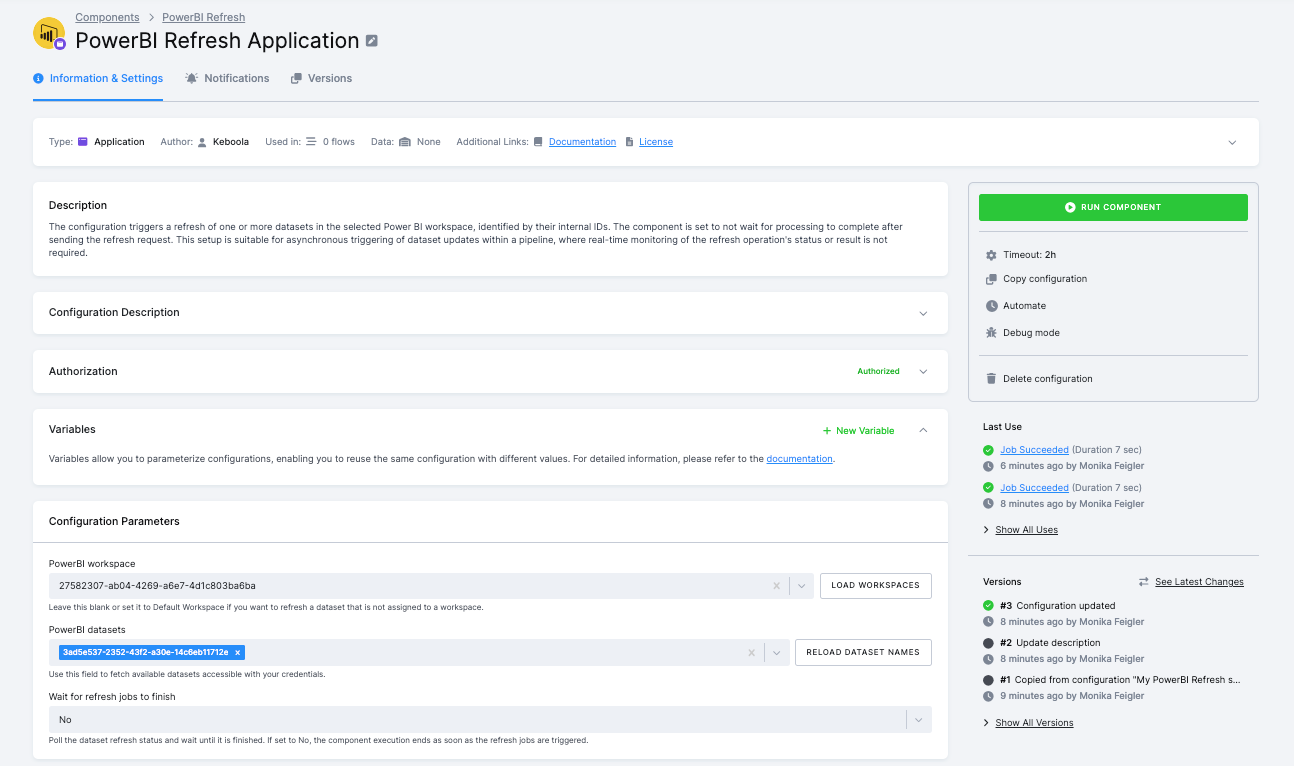
After successful testing across production environments, the component is now fully supported and ready to automate one of the most common friction points in Power BI deployments.
The problem: stale dashboards
Your team runs ETL pipelines in Keboola that update data every hour. But your Power BI dashboards still show yesterday's numbers because someone forgot to trigger a refresh. Or worse, you're manually clicking "Refresh now" in Power BI after every pipeline run.
Without automation, you have three options, all bad:
- Manual refresh - someone clicks refresh buttons after each data update (time-consuming, error-prone)
- Power BI scheduled refresh - runs on a fixed schedule, not when your data actually updates (stale data between updates)
- Custom scripts - write and maintain PowerShell or Python scripts calling Power BI APIs (complex, brittle)
The solution: refresh on demand
Power BI Refresh triggers dataset refreshes automatically when your Keboola flows complete. Your pipeline finishes, Power BI updates immediately. No manual steps, no scheduled mismatches, no custom code.
Common use cases:
- Sales dashboards - update revenue reports immediately after CRM data syncs complete
- Operational reporting - refresh inventory or logistics dashboards when warehouse data lands
- Executive reporting - ensure C-suite dashboards show current data before morning meetings
- Multi-source analytics - refresh Power BI after multiple data sources are consolidated and transformed
Key features
Automatic dataset refresh - Trigger refreshes for one or multiple datasets in your Power BI workspace directly from Keboola flows.
Status monitoring - Optionally wait for refresh completion with configurable timeout and interval settings. The component can fail your flow if any dataset refresh fails, preventing downstream processes from running on stale data.
Zero maintenance - No PowerShell scripts, no Azure Functions, no separate scheduling infrastructure. Just add the component to your flow.
Multi-dataset support - Refresh multiple related datasets in sequence, ensuring dependent reports update in the correct order.
How it works
Add Power BI Refresh to the end of your Keboola flow. When your transformations complete, the component sends refresh requests to Power BI via OAuth2. You can fire and forget, or wait for completion with full status monitoring. Detailed logs show exactly when each dataset refreshed and whether it succeeded.
Getting started
The component is now generally available and ready for production use. Add it to your project, authorize with OAuth2, and configure your dataset IDs. Your Power BI dashboards will stay fresh automatically.
For setup instructions and configuration details, check out the Power BI Refresh documentation.