
OM redesigned! New features available
Output Mapping for SQL transformations gets its biggest redesign in years: a brand-new modal with two clearly named modes — Guided and Direct — and Deduplication strategy plus Delete rows by table now standard for every SQL transformation.
The Output Mapping modal in SQL transformations has been redesigned from the ground up and released to general availability. You now choose between two clearly named modes — Guided Mode (the safe, copy-based default) and Direct Mode (write straight to Storage, orders of magnitude faster on large tables). On top of that, two features — Deduplication strategy and Delete rows by table — are now first-class options in the modal for every SQL transformation.
This is the biggest change to Output Mapping in years, and it lands gradually across all stacks over the next few days.
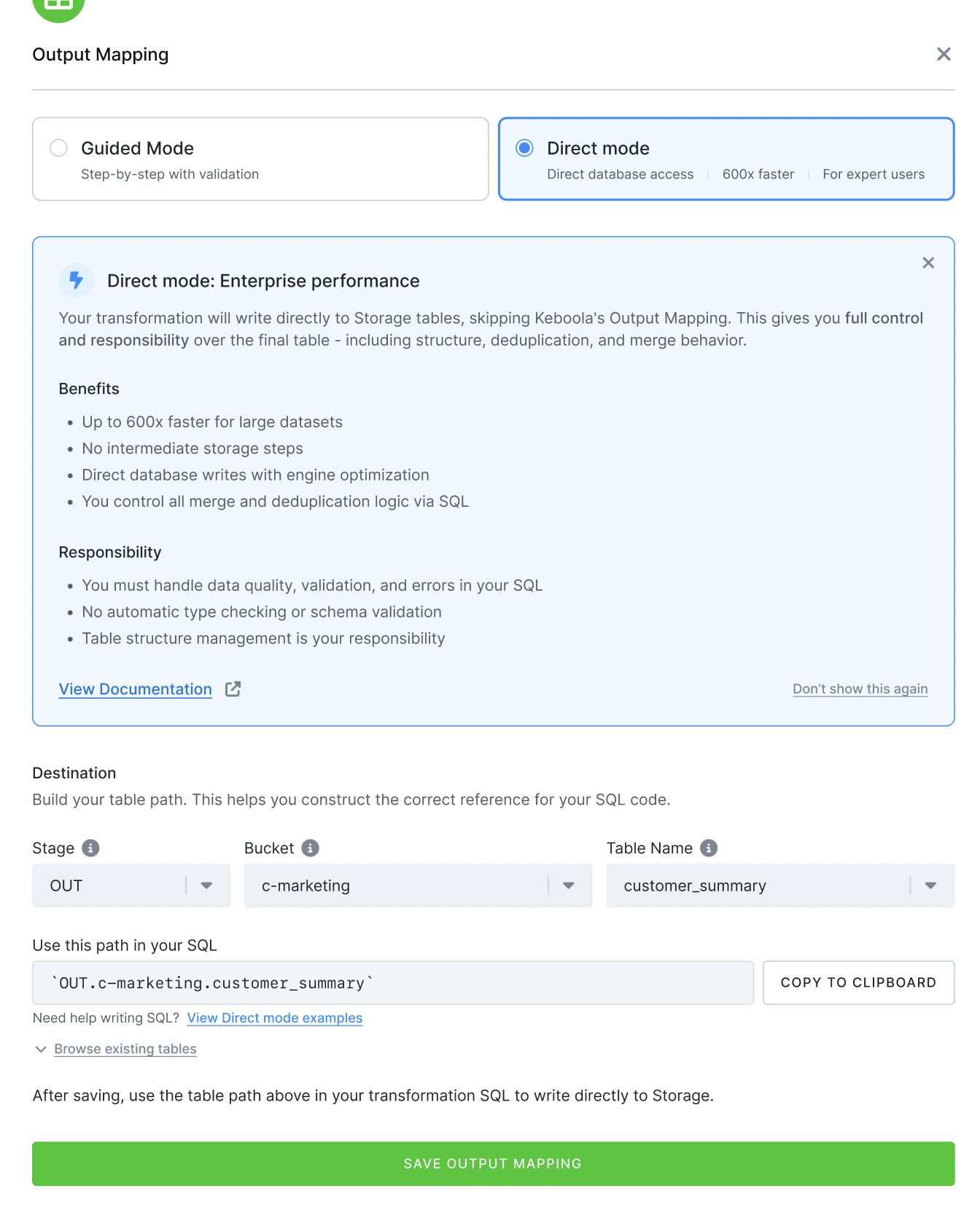
What's new
A redesigned modal with two modes
The Output Mapping modal for Snowflake and BigQuery SQL transformations has been rebuilt around a single decision: how should this table be written?
- Guided Mode — the existing copy-based flow, now cleaner and easier to scan. Keboola handles staging, deduplication and the import step for you. This is the default and the right choice for most workloads.
- Direct Mode — your transformation writes directly into the Storage table. No staging copy, no import step. On large incremental loads the difference is dramatic: a 1-row append to a 150 GB Snowflake table goes from ~160 minutes with standard Upsert to ~11 seconds with Direct Mode.
Direct Mode is available on request. The modal includes a Contact support CTA — one click opens a request to enable Direct Mode for your project.
Cleaner destination handling
The destination selector is collapsed behind a breadcrumb (OUT / bucket / table) once it's set, with a Change destination toggle to expand it again. Less visual noise for the common case where the auto-derived destination is what you want.
Deduplication strategy, now for everyone
Pick the deduplication strategy that fits your workload directly from the new modal — available to every SQL transformation.
Delete rows by table, now for everyone
Delete rows by table is now a first-class option in the new modal for every SQL transformation.
Why it matters
- Performance — Direct Mode unlocks workflows that simply weren't viable on the standard copy path. Incremental loads on multi-100 GB tables drop from hours to seconds.
- Clarity — Guided vs Direct is an explicit choice, not a hidden JSON field. You can see what mode each table uses at a glance.
- More power, by default — Deduplication strategy and Delete rows by table are now first-class options in the UI for every SQL transformation.
How to use it
- Open any SQL transformation on Snowflake or BigQuery.
- Add or edit an output table — the redesigned modal opens.
- Pick Guided Mode for the standard, safe path, or Direct Mode for direct writes to Storage. If Direct Mode isn't enabled yet for your project, the modal will show a Contact support button to request it.
- Configure deduplication and delete-rows-by-table inline — no JSON editing required.
Direct Mode reference and good/bad practices are documented in the Manual Output Mapping section of the docs.
Workspaces (standalone or via SQL editor) are not supported for time being.
Rollout
The new modal rolls out gradually across all stacks over the next several days. No action needed on your side — it'll just show up the next time you open Output Mapping in a SQL transformation.