
New Helios Inuvio & Helios Easy Extractor and Writer
Extract data from Asseco Solutions' Helios ERP and write records back — our new extractor and writer components support both the Helios Inuvio and Helios Easy.
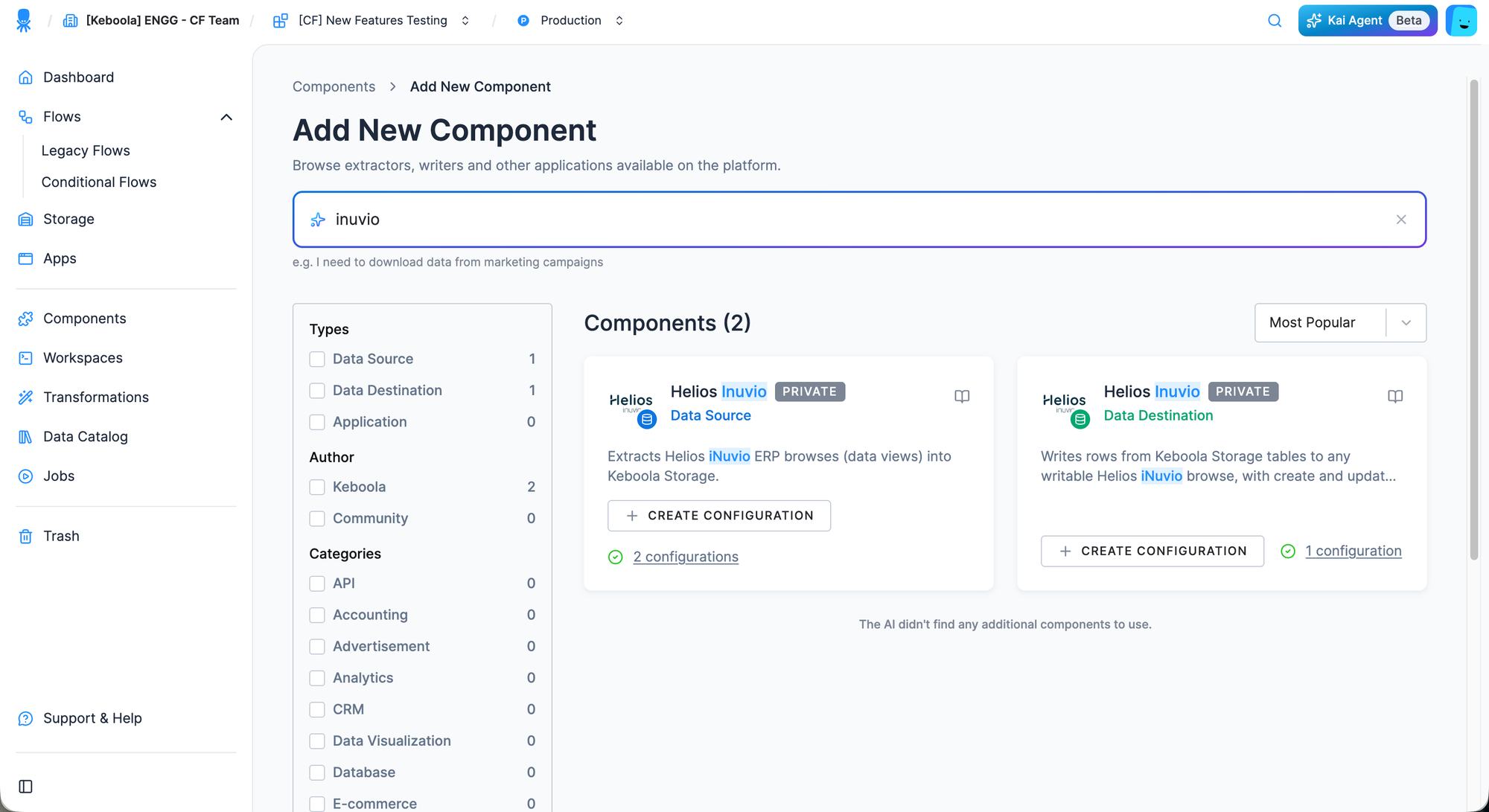
Connect your Helios ERP data directly into Keboola. We've released two new components — the Helios Extractor and the Helios Writer — both compatible with the Helios iNuvio and Helios Easy editions and now available in beta.
Both components connect to the Helios iNuvio Server / eServer REST API using secure token-based authentication with your Helios user credentials. There is no fixed entity list — any Helios browse (data view) the server exposes can be extracted, and any browse reported as writable can be targeted by the writer. Dynamic dropdowns and a Test Connection button guide you through the setup, from selecting the database to picking browses and columns.
Helios Extractor
- Extract any Helios browse into an analytics-ready Storage table — one table per configuration row.
- Supports both full and incremental loads — incremental runs use the Helios
rowVersioncursor to fetch only changed records and upsert them into Storage. - Select specific columns and apply server-side filters to extract exactly the data you need.
Helios Writer
- Load data from Storage tables into any writable Helios browse — one input table per configuration row.
- Map input columns to Helios fields with automatic fuzzy matching, then fine-tune the mapping as needed.
- Create new records or update existing ones by a key field.
- Handle rejected rows gracefully — enable Continue on Error to log failures into a
failed_records.csvtable instead of failing the whole job.
Highlights
- ERP integration — centralize business-critical data from Helios iNuvio and Helios Easy alongside your other sources.
- Two-way sync — extract data for downstream analytics and write enriched or corrected records back to Helios.
- Fully compatible with Flows — schedule and automate extractions and writes end to end.
You can find the new components in the Data Source and Data Destination sections of your project. To connect, you'll need a Helios installation with the iNuvio Server / eServer module enabled and a Helios user with REST rights on the browses you want to work with. As both components are in beta, we're still validating them across real-world Helios setups — we'd love to hear your feedback. If you have questions or need assistance, please don't hesitate to submit a support ticket.