
Kai Now Handles Long Conversations Automatically
Kai detects when a conversation approaches its context limit and automatically compacts the history, so you can keep working without interruption.
If you've ever hit a wall mid-conversation with Kai — where the chat gets too long and stops responding — that experience just got a lot better.
Kai now detects when a conversation is approaching the context limit and automatically compacts the history in the background. It summarizes what's been discussed, moves you to a fresh chat, and catches you up so you can continue without missing a beat.
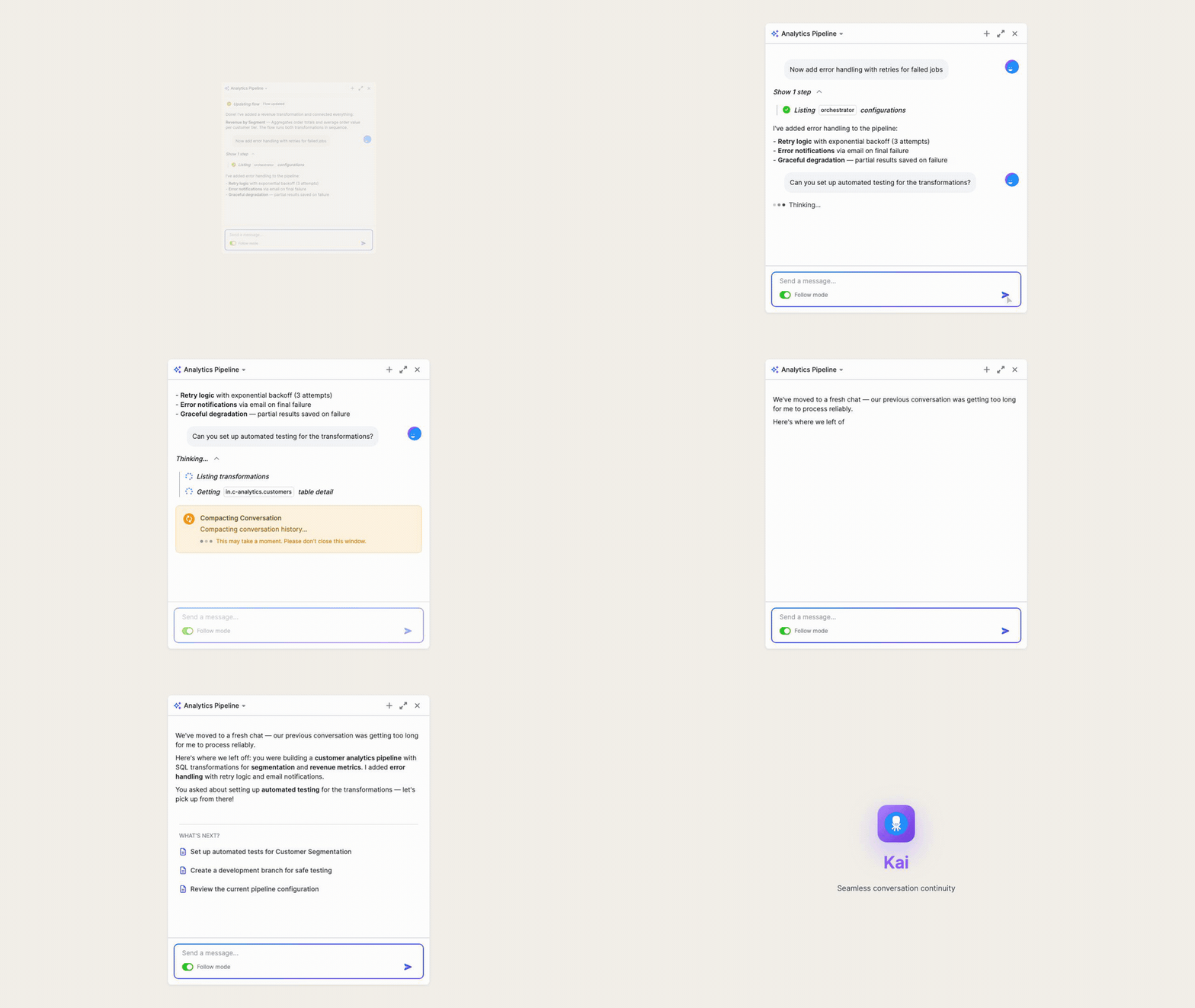
How it works:
- Automatic. No manual steps — Kai handles it behind the scenes.
- Context-aware. Your conversation history, tool calls, and decisions carry forward in the summary.
- Non-disruptive. The original chat stays in your history for reference.
No action is required on your part. The next time you're deep in a complex workflow, Kai will keep up.