
Custom Instructions for Kai — Tailor Your AI Assistant to Your Team's Needs
You can now set custom instructions for Kai at both the project and user level, giving you full control over how Kai communicates and responds to your team's specific workflows and standards.
Kai is a powerful assistant out of the box, but every team works differently. With custom instructions, you can now personalize how Kai behaves — from the tone of its responses to the technical conventions it follows — without changing anything about its core capabilities.
Two Levels of Customization
Custom instructions work on two levels, giving both admins and individual users the flexibility they need:
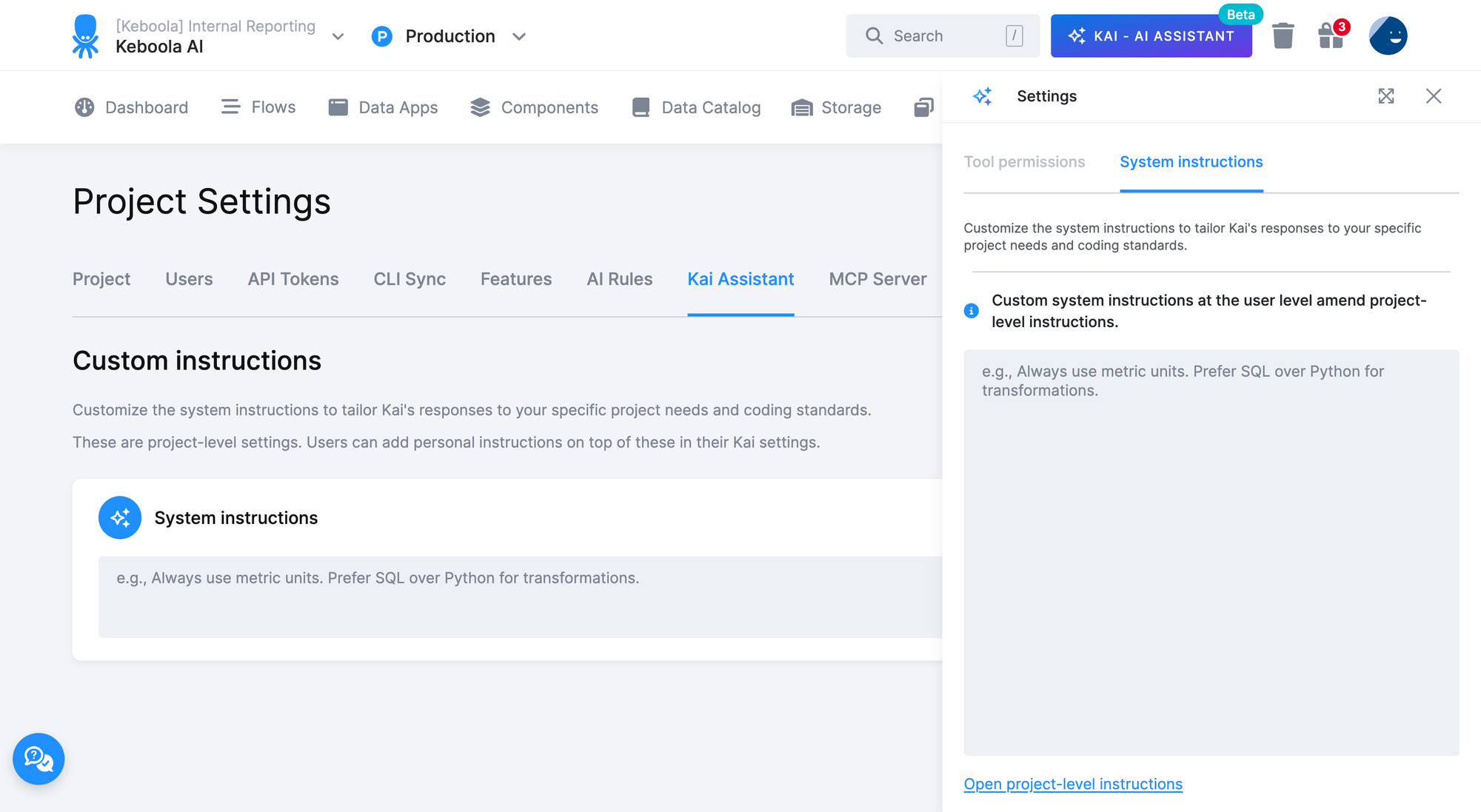
- Project-level instructions: Set by project admins in Settings > Kai Assistant, these apply to every user in the project. Use them to enforce team-wide standards — like preferred languages, naming conventions, or transformation approaches.
- User-level instructions: Set by individual users directly in the Kai chat settings panel. These personal instructions are layered on top of the project-level ones, so each user can fine-tune Kai’s behavior to their own preferences without affecting anyone else.
How It Works
Simply write your instructions in plain text — up to 4,000 characters — and they’re saved automatically. No buttons to click, no configuration to deploy. For example:
“Always use metric units. Prefer SQL over Python for transformations. When writing component configurations, use snake_case for all keys.”
Project-level instructions ensure consistency across your team, while user-level instructions let individuals adapt Kai to how they personally work best. Both are injected into Kai’s context with every conversation, so they take effect immediately.
Getting Started
- Admins: Go to Settings > Kai Assistant to set project-wide instructions.
- Users: Open the settings panel in any Kai chat and navigate to the System instructions tab to add your personal instructions.
We’re excited for you to make Kai truly yours. If you have questions or feedback, don’t hesitate to reach out to our support team.