
BigQuery Support in the SQL Editor
The SQL Editor now supports BigQuery. Run queries, browse tables, and use Kai against your BigQuery workspace without leaving Keboola.
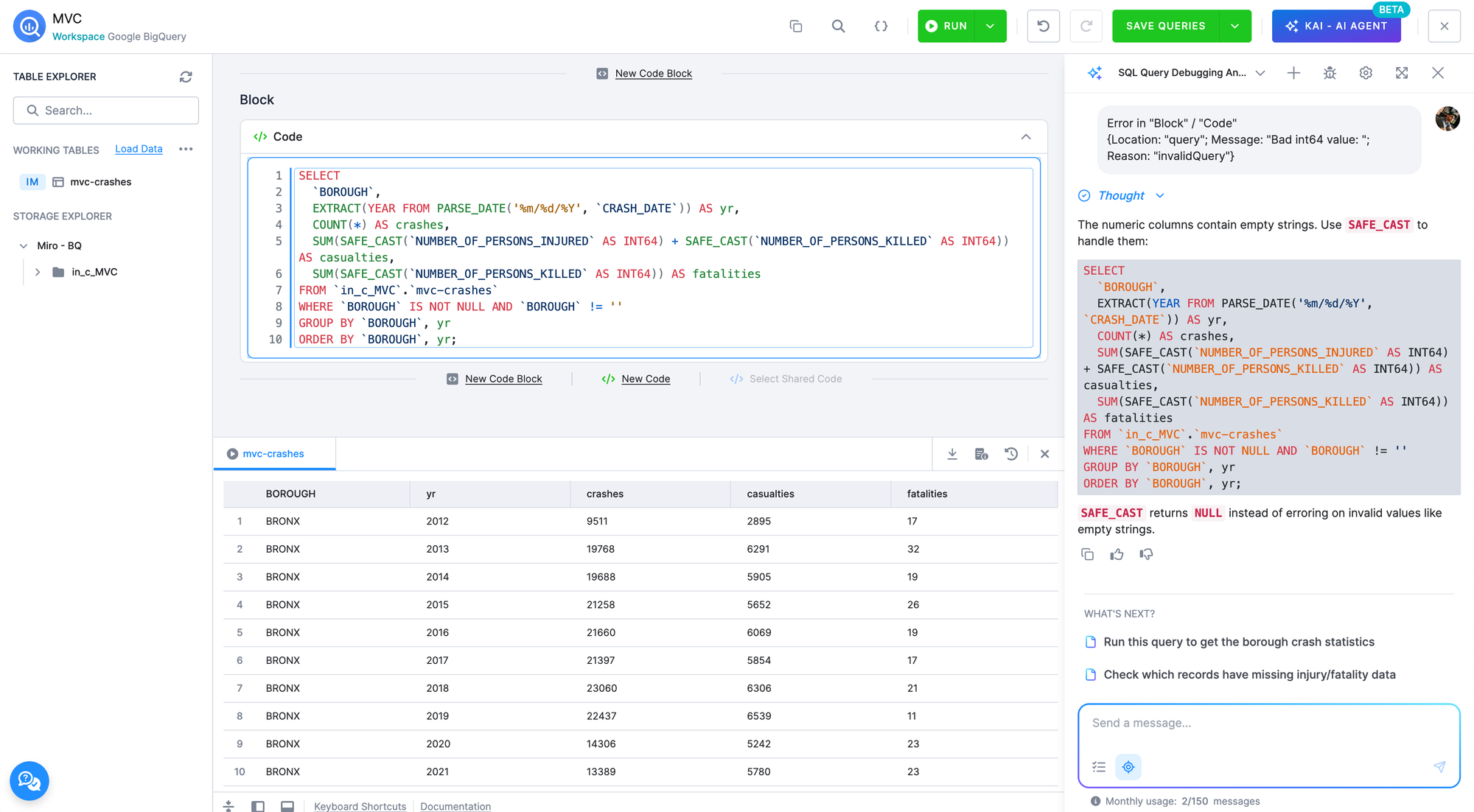
Until now, working with BigQuery meant jumping to the Google Cloud Console or another external tool to run ad‑hoc queries against your workspace. With this update, BigQuery joins Snowflake as a fully supported backend in the in‑platform Keboola SQL Editor. You can develop and test queries in the same place you build the rest of your data product.
Connection is handled by the Keboola Query Service — no service account to configure and no credentials to share.
What you can do
- Run read and write queries against your BigQuery workspace, including DDL and DML statements.
- Browse buckets and tables in the Table Explorer, including shared buckets, linked tables, and tables created in development branches.
- Use the AI Assistant to generate, explain, and fix BigQuery SQL inline.
- Export query results for further analysis.
- Insert table and column names directly into your query using "Place name in editor" and "Copy identifier".
Keep in mind
- Workspace sessions last up to 24 hours. Temporary objects you create in the editor live for the duration of the session and cannot be extended beyond 24 hours. For anything you want to keep, write the result into a persistent table.
We will be expanding BigQuery coverage further over the coming weeks and would love your feedback as you try it out.
If you run into anything unexpected, please reach out to our support team.