
A smarter Global Search is rolling out to all projects
A rebuilt search index makes Global Search more relevant across your whole organization - plus you can now find tables by column name, match exact entity IDs, and use an opt-in regex mode.
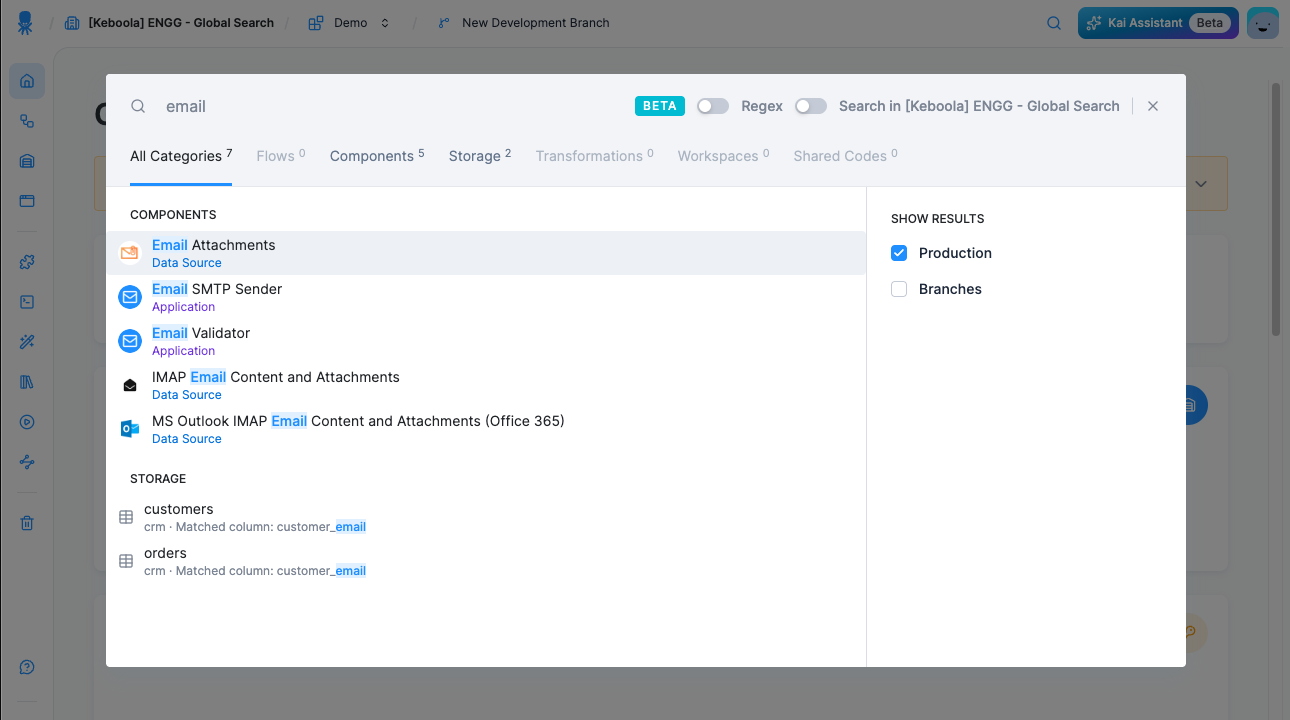
More relevant results across the board
We rebuilt the Global Search index on a new, higher-quality mapping. Results are now more relevant and ranked more accurately, and partial-word matching works noticeably better. This is the biggest change in this release - every search you run benefits from it.
Find tables by column name
You can now find a table by the name of any of its columns, not just by the table name. Search for customer_email and you'll see every table that contains that column. Each result shows which column matched, e.g. "Matched column: customer_email". Column matches rank below table-name matches, so tables named after your query still come first.
Match exact IDs
Searching for an exact entity ID now returns that entity directly. This is handy when you're working from a job log or an API response - and it works even after the entity has been renamed.
Regex mode
For advanced searches, switch on the new "Regex" toggle in the search bar. Your pattern is applied to the full name and is case-insensitive. Note that report won't match monthly_report - use .*report.* to match anywhere in the name.
Rolling out to all projects
Over the coming weeks, the upgraded Global Search will gradually appear in all projects. The rollout is automatic - there's nothing you need to do.
Learn more in the documentation.