
Platform
agent-drafted
Switch Keboola to Dark Mode
Switch the Keboola interface to dark mode, or let it follow your system setting. Each user picks their own appearance.
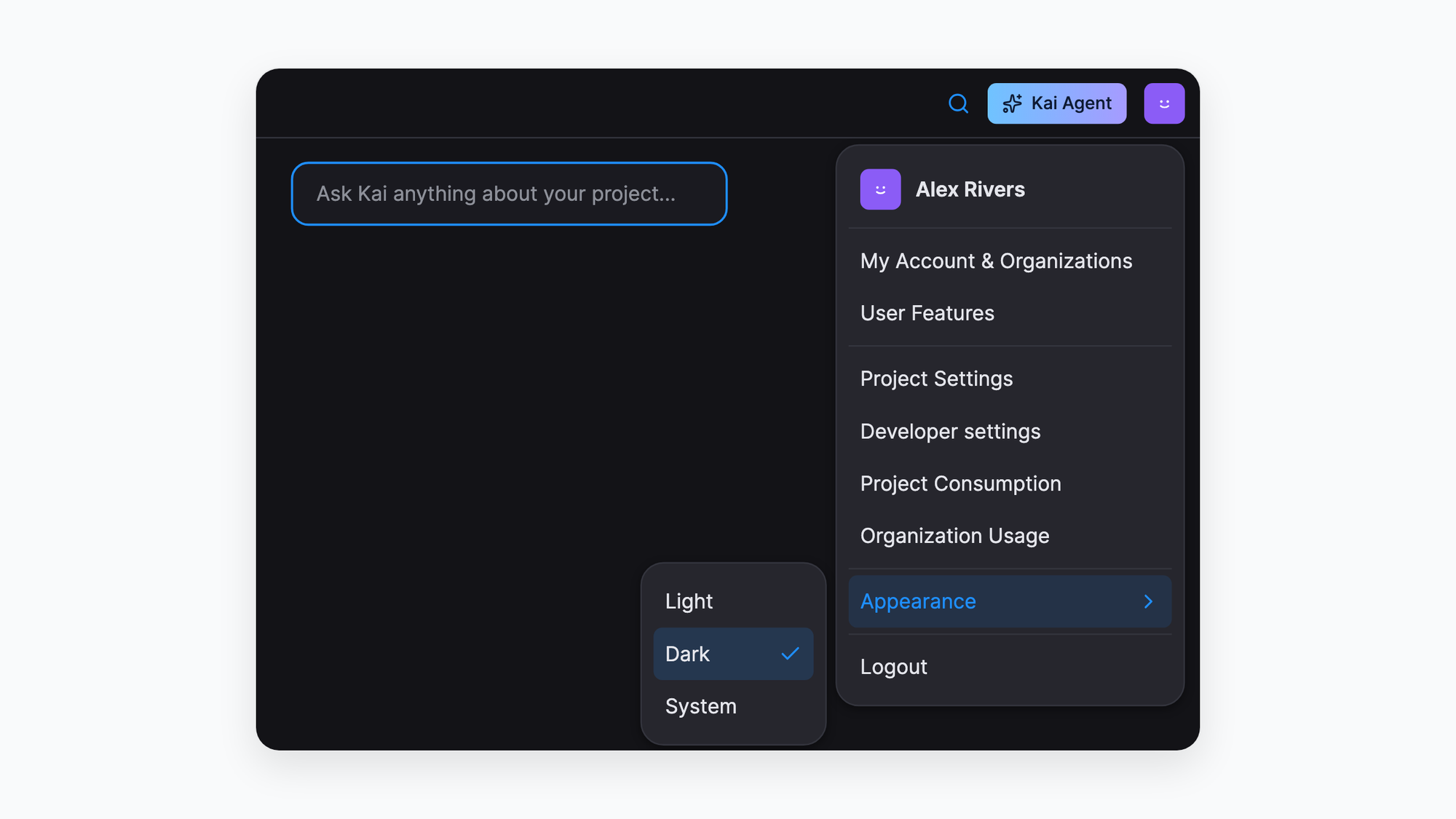
You can now switch the Keboola interface to dark mode, or let it follow the light or dark setting of your operating system. The choice is personal: each user sets their own appearance.
What’s new
- Dark mode: a dark appearance for the Keboola interface.
- System option: the interface switches between light and dark together with your operating system.
How to use it
- Open your avatar in the top right corner.
- Go to Appearance.
- Choose Light, Dark or System.
Good to know
The appearance is a personal setting. Changing it does not change what your teammates see.